 Headendix
See and steer your whole network
Live numbers, busy servers that stand out, and a wall screen for your NOC.
See your whole network at a glance
Viewers now, channels on air and every server's load, live, on one screen. When something needs you, it shows up at the top.
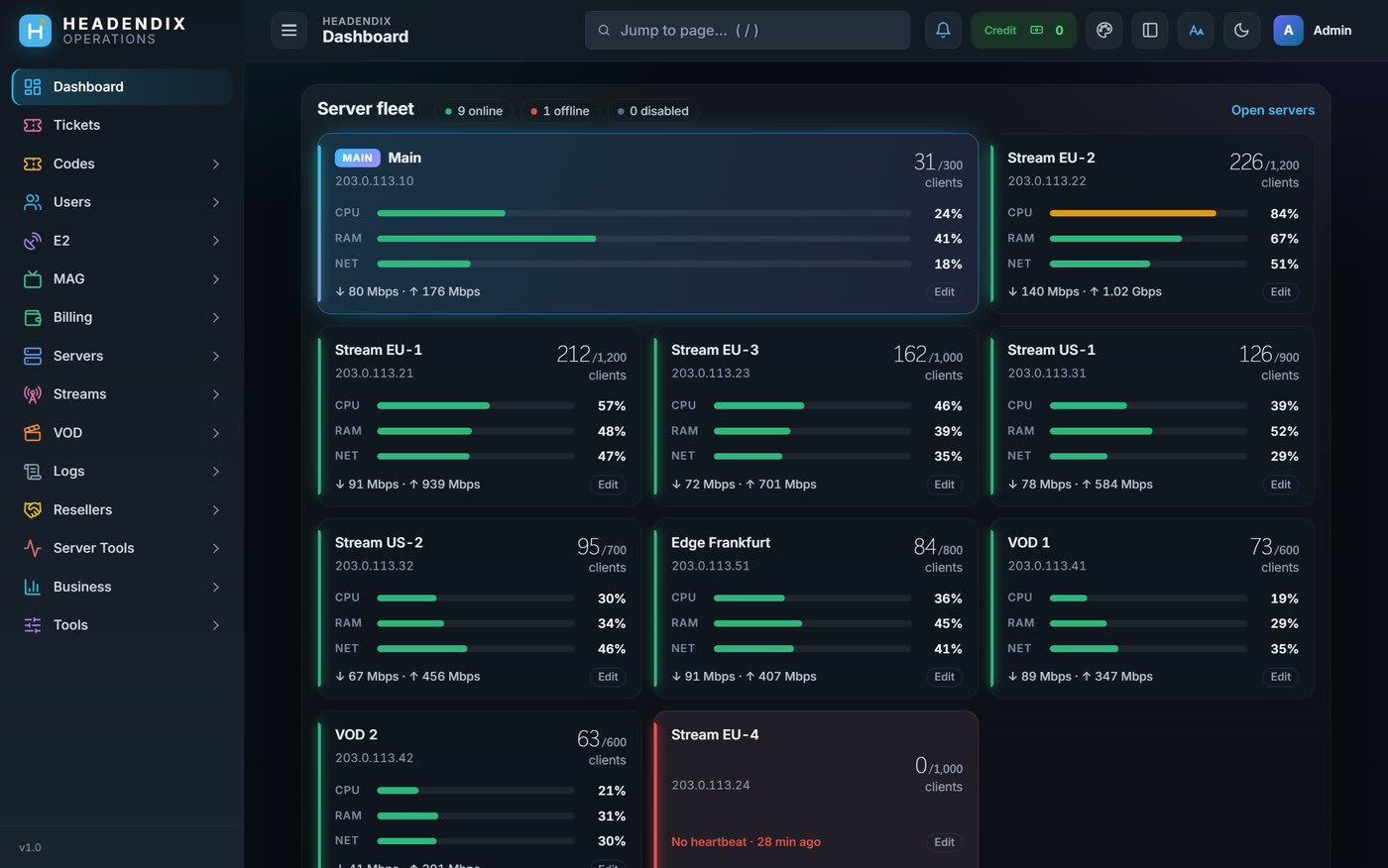
Spot the busy server before your viewers do
Every server card shows live CPU, RAM and network bars in green, orange or red, plus download and upload speed and connections against their limit.
- Connections against the limit (e.g. 850 / 1,000): orange at 90%, red when full. Click to see who is online on that server.
- Disable a server in one click: no new viewers are sent to it, and current viewers keep watching
- Connect window: open SSH (PuTTY) or SFTP (WinSCP), then reload, re-link or reboot. The root password is asked for each time and never saved.
- Smart sources: when a source provider stops serving one of your servers, its channels keep playing through another of your servers. Provider connection limits and fast channel opening are included.PRO
- Viewer routing rules also apply through Edge servers, and a viewer can stay on the same EdgePRO
Busy servers stand out
Colour-coded load on every server card, so you see trouble at a glance.
Viewers keep watching
Take a server out for maintenance and nobody already watching is cut.
Add servers as you grow
Load balancers join under the same license and show up here, live.
Know when people watch
See your busiest and quietest hours and where your viewers are. Plan maintenance and promotions around real habits.
Audience insights
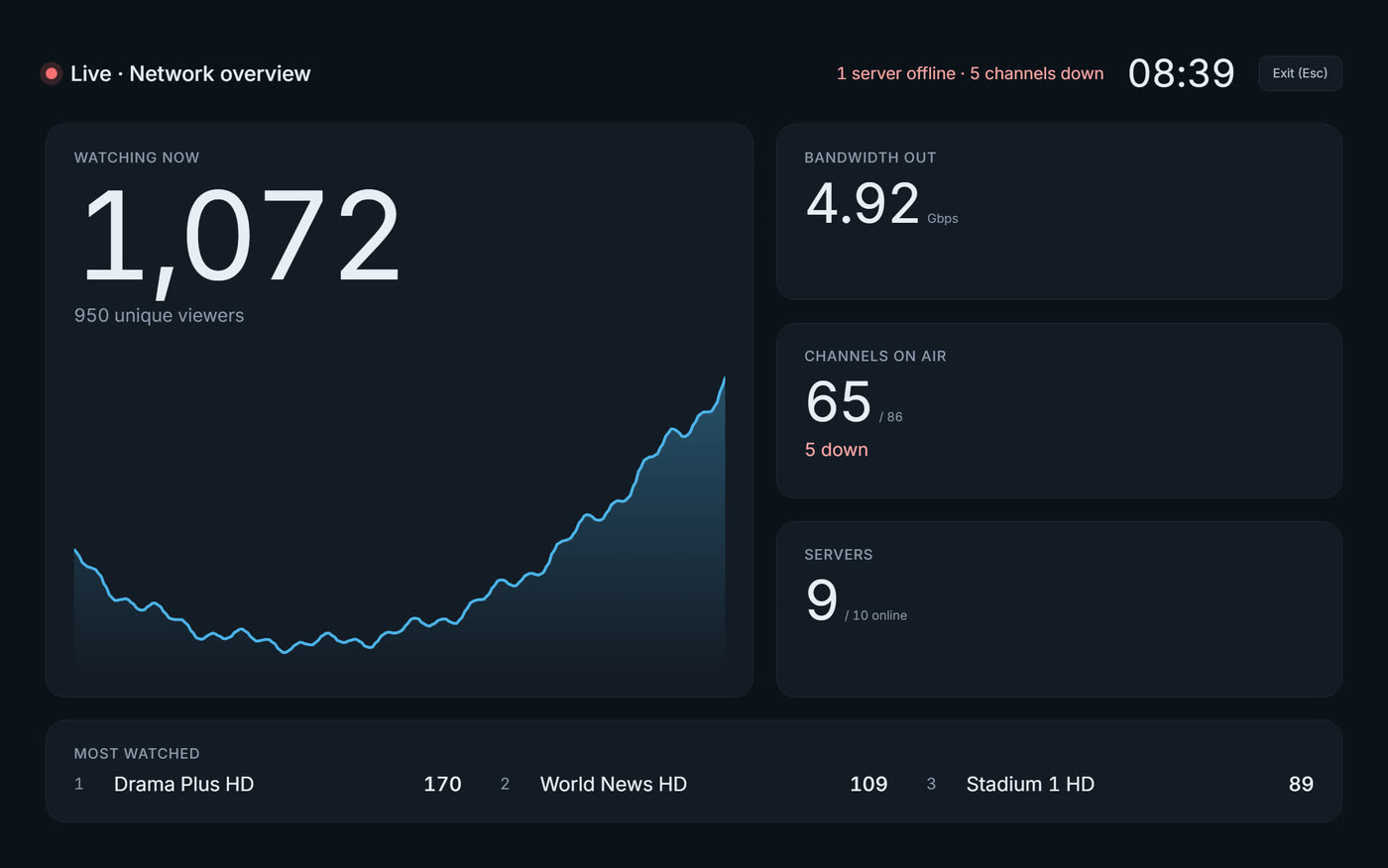
A wall screen for your NOC
Wall-screen mode shows big live numbers that update on their own.
Start today. Be live on your own server.
3 days free, no card. Keep everything when you upgrade.